Carros Rebaixados BR Invite Friends & Play on Mobile
Same-server invites, Share button habits, and mobile tips so your crew actually lands in one Pre-Alpha lot.
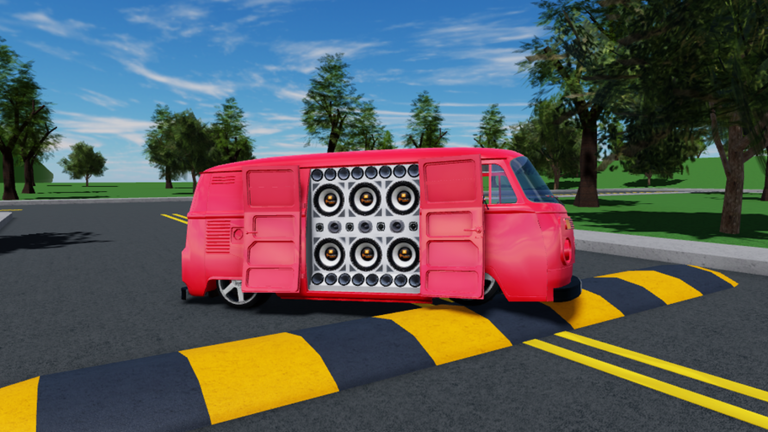
Nothing kills a Carros Rebaixados BR night faster than four friends stuck in four different 20-player servers. This guide covers the invite / Share loop on PC and mobile, how to regroup when a lobby fills, and the small UI habits that keep lowered-car meetups intact. Use it with Meetups, Getting Started, and the Players Hub.
The experience by godxlikee is free to play and still labeled Pre-Alpha (place 3242417672). UI labels can shift after patches, but the social rule stays fixed: same server or it is not a meetup.
Why same-server invites matter
Roblox can place friends into parallel instances when a place is popular. Carros Rebaixados BR often sits around one to two thousand concurrent players with peaks far higher, while each server only holds about 20 seats. That math creates split lobbies constantly. Your job as host is to collapse the crew into one instance before anyone starts customizing alone.
PC invite loop (HUD Share)
- Join from the official place page or your Roblox continue list.
- After load, look for the Share control on the right side of the HUD (Getting Started documents the left car icon / right Share layout).
- Share to Roblox friends or copy the invite path your client offers.
- Tell friends to join your instance—not a fresh public server from search.
- Confirm names in the player list before anyone drives across the map.
If Share UI moved after a patch, open Roblox’s standard friend-join / experience invite flows from the escape menu. The goal is identical: follow the host.
Mobile invite loop
Mobile players are a huge part of Brazilian Roblox traffic. On phones and tablets:
- Update Roblox so invite sheets and permissions work.
- Join the experience, then use the on-screen Share / friends panel (placement can differ by device orientation).
- Prefer portrait for menus, landscape for driving once the crew is confirmed.
- Ask PC friends to wait thirty seconds—mobile asset streaming can lag behind desktop.
- If touch driving feels slippery, practice handbrake and gentle throttle in an empty strip before the photo line—see Controls for the binding map PC players quote in chat.
Mobile tip that saves meetups: disable low power mode during sessions so backgrounding Roblox does not eject you from the only open seat.
When the server is full
A full 20/20 lobby is success and a problem. Do this instead of rage-hopping alone:
- Host announces “hop together” in chat and party chat.
- Everyone leaves within the same minute.
- Host creates or joins a fresh server and immediately re-shares.
- Friends follow the new invite—do not browse the experience list independently.
- Re-stage at the agreed landmark from Meetups.
Solo hopping is how crews fracture into three half-empty lots with silent trunks.
Pre-meetup message template
Send this before launch night:
- Game: Carros Rebaixados BR (godxlikee Pre-Alpha)
- Theme: e.g. Saveiro night / Uno classics
- Rule: join my Share link, do not solo queue
- Prep: one tested music ID from Music IDs
- Backup: if full, hop only when I say hop
Clear instructions beat twelve confused stickers in the group chat.
Cross-platform etiquette
- PC hosts should slow convoy pace for mobile drivers.
- Mobile hosts should appoint a PC co-host for long chat explanations if typing is painful.
- Mix languages respectfully—Portuguese BR is native to the scene; English tips are fine without policing accents.
- Do not demand voice chat; the place often runs without it, and text plus lights/signals works.
Troubleshooting split lobbies
| Symptom | Likely cause | Fix |
|---|---|---|
| Friend joins but you never see them | Different instance | Re-share; friend must follow host invite |
| Invite button missing | UI shift / overlay | Use Roblox friend join; soft rejoin |
| Mobile friend stuck loading | Asset stream / weak network | Wait, lower graphics, retry once |
| Seat taken mid-invite | 20-player cap | Hop together immediately |
| Friend in wrong game | Similar “rebaixados” titles | Confirm place ID / godxlikee creator |
After everyone lands
- Quick roll call in chat.
- Point absolute beginners to Getting Started.
- Send anyone with silent speakers to How to Play Music.
- Start the staged lot—do not customize for twenty minutes while people idle in spawn.
- Bookmark Updates together if a patch just dropped and spawn icons look different.
Privacy and safety
- Share invites with people you actually play with; public paste links attract griefers into a 20-seat room fast.
- Never ask for passwords, “account boosts,” or paid executor installs—read Scripts.
- Ignore DMs selling fake promo codes; see Codes and How to Redeem.
Mobile performance quick hits
- Lower graphics if the lot stutters when ten cars open door speakers.
- Close background video apps before big meetups.
- Keep one thumb free for handbrake habits once you learn where the on-screen controls sit.
- Park first, adjust music second—typing IDs in a moving car on mobile is how people crash the photo line.
Invite discipline is a skill equal to clutch timing. Master Share, hop-together, and mobile patience, and every Meetup starts on time with a full circle of cars instead of a scavenger hunt across instances.
Frequently Asked Questions
Quick answers for lowered-car meets and music setups.
Where is the invite button in Carros Rebaixados BR?
On many clients the Share control sits on the right side of the HUD. If it moved after a patch, use Roblox’s standard friend-join or experience invite from the menu.
Why did my friend join but I cannot see them?
They likely landed in another 20-player instance. Have them leave and follow your fresh Share invite instead of browsing public servers.
Can I host meetups from a phone?
Yes. Update Roblox, use the mobile Share/friends sheet, keep the crew on your invite, and slow convoy pace for touch driving.
What should we do when the server is full?
Leave together on the host’s call, then rejoin the host’s new server immediately so the crew stays in one lot.